Shopify makes launching an online store remarkably easy. It also makes it easy to underestimate what that store will cost once you add apps, payment processing, staff access, and the features your business actually needs.
We’ve used Shopify, worked inside its admin, and seen where the platform saves time and where its guardrails become frustrating. Our verdict is straightforward: Shopify is the strongest all-around ecommerce platform for most product-focused businesses, especially if you want hosted infrastructure, a dependable checkout, and several sales channels in one system.
It isn’t the right choice for every business. Content-first companies may prefer WordPress and WooCommerce. Stores with specialized workflows may need paid apps or custom development. And Shopify gives you the store, not the audience. You still need to attract customers.
Quick Verdict
The Quick Verdict: Shopify
Shopify is our strongest all-around ecommerce recommendation for product-focused businesses that want hosted infrastructure, a dependable checkout, and several sales channels in one system. It is easy to launch and capable enough to grow with most stores. Budget beyond the subscription price, though. Apps, staff access, payment processing, and specialized workflows can raise the cost.
Launch a full store without managing hosting or core software
Shop Pay can convert up to 50% better than standard guest checkout, according to Shopify
Manage online, social, marketplace, and POS sales from one admin
Use Shopify Magic and Sidekick without buying a separate AI subscription
Extend the store through more than 21,000 apps
Cons
Paid apps can push the operating cost well above the base subscription
Basic includes no additional Shopify admin staff accounts
Outside payment providers trigger another transaction fee
Publishing controls and URL structures are less flexible than WordPress
What Shopify is, and what it isn’t
Shopify is a hosted software-as-a-service ecommerce platform. Your subscription includes an online store builder, web hosting, SSL, checkout, order and inventory management, analytics, and access to Shopify’s sales channels and app ecosystem. Shopify maintains the platform, so you don’t have to patch the core software or manage a server.
Shopify isn’t a marketplace in the same sense as Amazon or Etsy. The Shop app, social integrations, marketplace connections, and newer AI-shopping channels can create discovery opportunities, but most merchants still build their own audience through search, advertising, email, social media, partnerships, and repeat business.
Shopify also isn’t a content-first publishing system. It includes pages and blogging tools, and those tools are adequate for many stores. If publishing articles, managing complex content structures, or controlling every URL is central to your growth strategy, WordPress offers more freedom.
Those distinctions explain many negative Shopify reviews. The platform becomes frustrating when someone expects a built-in marketplace audience or the flexibility of an open-source content management system. Used for the commerce job it was designed to do, Shopify is much stronger.
Shopify pricing in 2026
Shopify’s advertised price depends on whether you pay monthly or annually. These were the U.S. list prices when we checked on July 20, 2026.
Plan
Monthly billing
Annual equivalent
Best fit
Additional staff accounts
Starter
$5/month
Not listed
Selling through links, social media, messaging, or a simple storefront
0
Basic
$39/month
$29/month
A solo operator launching a full online store
0
Grow
$105/month
$79/month
A small team that needs staff access and lower payment rates
5
Advanced
$399/month
$299/month
Higher-volume or international businesses
15
Plus
From $2,500/month on a one-year term
From $2,300/month on a three-year term
Complex, high-volume, or enterprise commerce
Unlimited
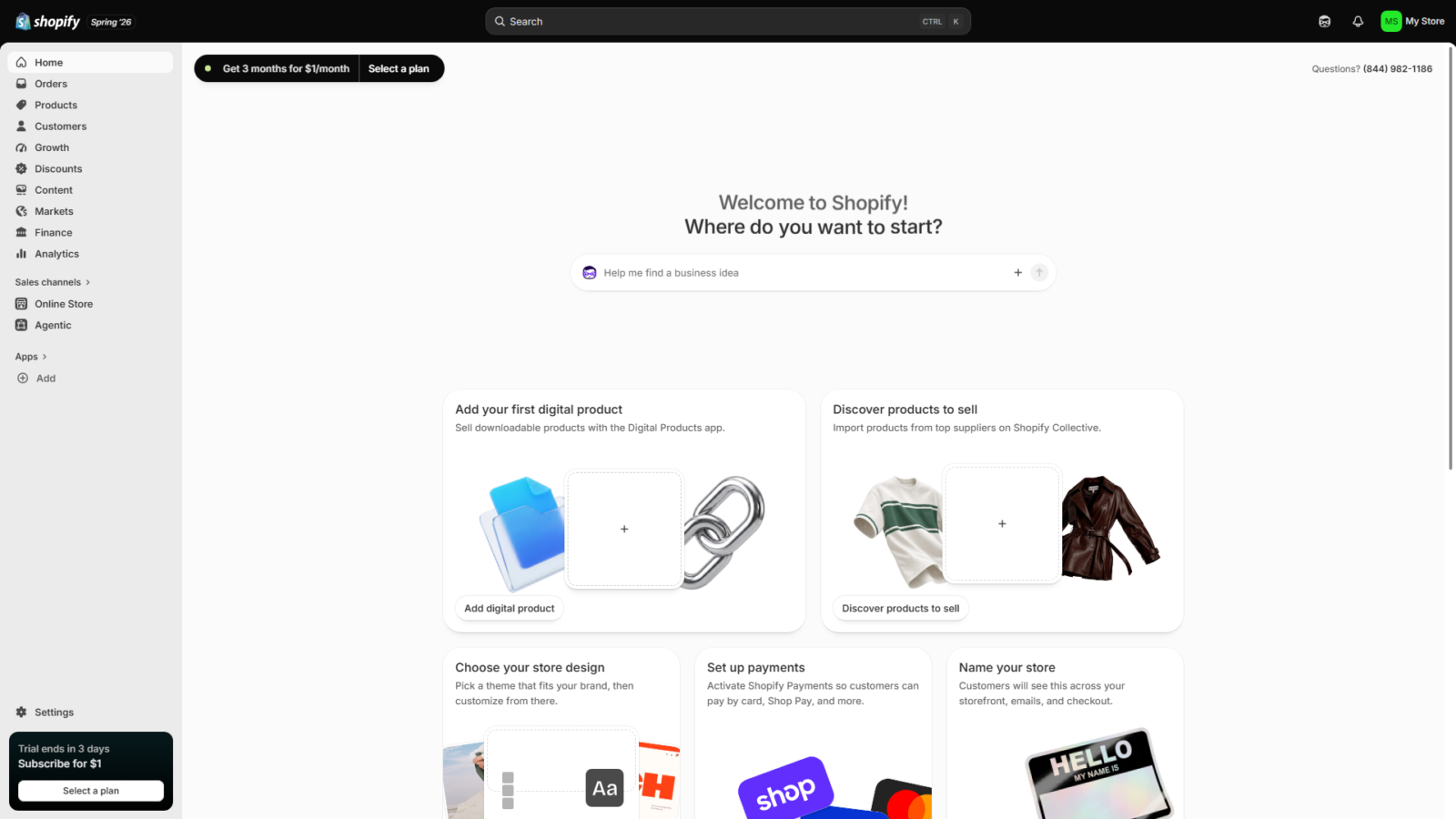
Shopify was offering a three-day free trial followed by three months at $1 per month when we checked. Promotions, plan features, and prices can change, so confirm the current offer before subscribing.
Starter deserves a clear distinction. It provides a simple store, Shopify checkout, order management, apps, analytics, and POS access, but it doesn’t provide the full theme and customization experience included with Basic and higher plans.
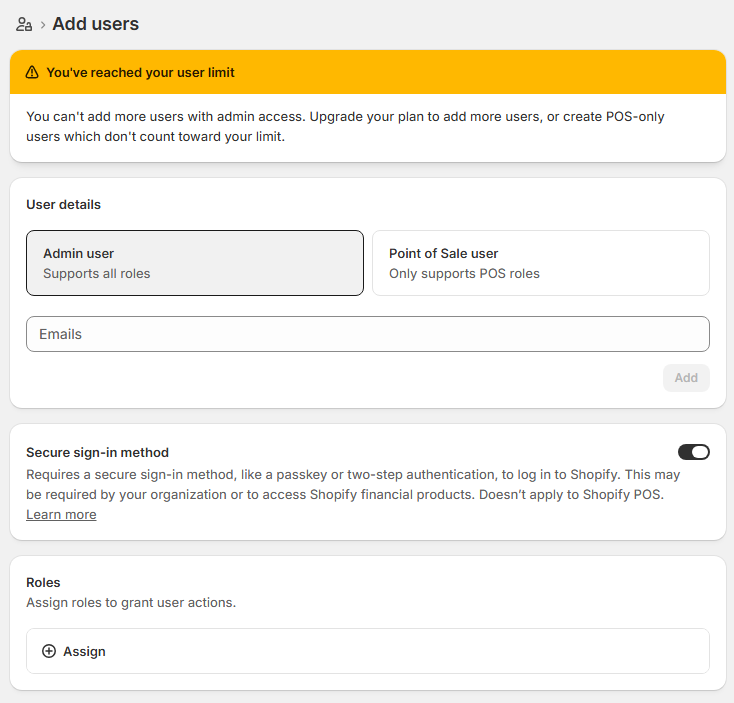
Basic is the entry point for a full online store. The store owner can run it alone and invite Shopify Partners through collaborator accounts, but the plan doesn’t include additional Shopify admin staff accounts. POS-only staff also don’t count against the admin user limit.
Grow’s clearest benefits are five staff accounts and lower payment rates. Advanced increases the limit to 15, lowers the rates again, includes third-party calculated shipping, and adds deeper international controls and enhanced chat support.
Shopify Plus is a different buying decision. It adds unlimited staff, fully customizable checkout, unlimited B2B catalogs, priority support, more locations, and higher platform limits. Its published starting price requires at least a one-year term, and complex businesses may receive variable pricing.
Payment processing and third-party transaction fees
Subscription cost is only one part of the bill. On Shopify’s U.S. pricing page, standard online Shopify Payments rates started at 2.9% plus 30 cents on Basic, 2.7% plus 30 cents on Grow, and 2.5% plus 30 cents on Advanced.
If you use an outside payment provider, Shopify adds a third-party transaction fee on top of the provider’s charges. The U.S. rates were 2% on Basic, 1% on Grow, 0.6% on Advanced, and 0.2% on Plus when we checked. Payment rates vary by country, card type, and payment method.
Using Shopify Payments usually produces the simplest fee structure. Some businesses still need an outside gateway because Shopify Payments isn’t available everywhere or doesn’t support every business category. Check eligibility before building your cost forecast around it.
Shopify pros and cons at a glance
Shopify pros
Shopify cons
You can launch a credible store without managing hosting or core software
Apps can push the monthly cost far above the subscription price
Checkout and Shop Pay reduce purchasing friction
Basic has no additional admin staff accounts
Website, social, marketplace, and POS sales can share one admin
Third-party payment providers trigger another transaction fee
Shopify Magic and Sidekick are included with the platform
URL structures and publishing controls are less flexible than WordPress
The App Store offers more than 21,000 extensions
Specialized workflows can create app and developer dependencies
Shopify Markets supports localized international selling
Support begins with self-service and AI before human escalation
The pros and cons of Shopify don’t carry equal weight for every merchant. A solo product business may barely notice the staff limit. An agency managing a content-heavy store may hit Shopify’s publishing constraints immediately. The right verdict depends on which limitations affect the way you plan to sell.
Shopify pros: What it gets right
You can launch quickly without managing infrastructure
Shopify’s setup flow is one of its strongest advantages. You can choose a theme, add products, configure payments and shipping, connect a domain, and publish without writing code. Free themes such as Dawn provide a capable starting point, while the theme store and third-party developers offer more specialized designs.
Shopify handles hosting, bandwidth, SSL, platform updates, and the core checkout infrastructure. The company reported 99.9% platform uptime across its major services and regions during the 90 days before we checked on July 20, 2026. Standard plans don’t promise that every app, theme customization, or outside service will remain available, but Shopify removes much of the infrastructure work that comes with a self-hosted store.
The trade-off is control. You gain a managed platform and accept its rules. For most owners who want to sell products rather than maintain software, that exchange is worthwhile.
Your sales channels can share one operating system
Shopify can connect your online store with social platforms, marketplaces, in-person selling, and newer AI-shopping channels. Orders and inventory from supported connections flow back into Shopify, which reduces the risk of overselling stock or maintaining separate systems for each channel.
Marketplace Connect supports marketplaces such as Amazon and eBay. Facebook, Instagram, TikTok, Google, and other channels connect through their respective Shopify integrations. Availability, fees, and supported features vary by channel, so this isn’t one universal switch. The advantage is having Shopify serve as the central commerce system.
Shopify POS extends the same inventory and customer data to pop-ups, markets, and retail locations. Casual in-person selling is included with the main plans. POS Pro costs another $89 per month per location on Basic, Grow, and Advanced and adds features for established retail operations.
Offline checkout is useful for events and locations with unreliable internet. Compatible setups can accept card payments offline and process them after reconnecting, although the merchant carries the risk that an offline payment may later be declined.
Shop Pay gives checkout a measurable advantage
Shop Pay stores a returning shopper’s contact, shipping, and payment information so the buyer can complete checkout with far less typing. That matters most on mobile, where every extra field creates another opportunity to abandon the purchase.
Shopify reports that Shop Pay can convert up to 50% better than standard guest checkout. A broader Shopify-commissioned study completed in April 2023 found Shopify checkout converted 15% better on average than competing platforms included in the research. Those figures won’t predict the exact result for every store, but the practical advantage is easy to see when using the checkout: recognized customers move from intent to payment quickly.
Shop Pay is available with Shopify Payments in supported countries. More than 150 million buyers have used it, giving many new Shopify stores access to a checkout customers already recognize.
Shopify’s AI works inside the store
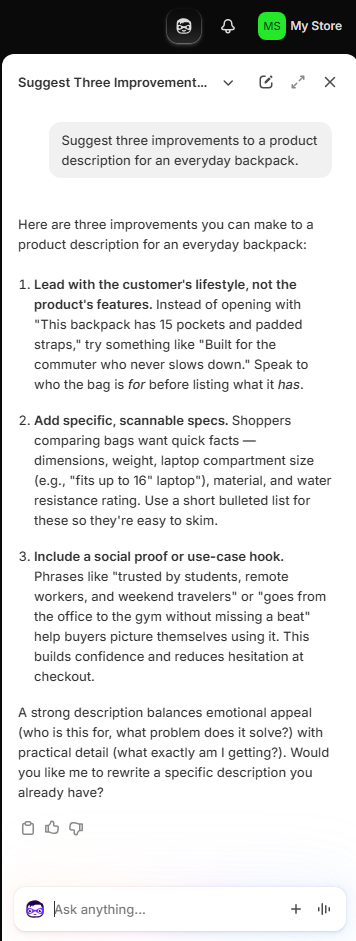
Shopify Magic and Sidekick are useful because they work with store data and commerce tasks instead of sitting in a separate chatbot.
Shopify Magic can generate and revise text, remove or replace image backgrounds, help build theme elements, suggest product information, and support other tasks across the admin. Shopify says Magic is free regardless of subscription plan, although specific features and availability can vary.
Sidekick is the conversational layer. It can answer questions about store performance, generate content, work with products and orders, help build Shopify Flow automations, and complete supported tasks using ordinary instructions. It presents changes for review before applying them, which gives the merchant control over what reaches the store.
Sidekick Pulse adds proactive recommendations based on store activity. Instead of waiting for a question, it can surface actions related to traffic, conversion, repeat purchases, products, and inventory. Sidekick can also work with a growing number of apps, although certain advanced abilities and usage limits depend on the plan.
The tools save time, but they don’t replace brand judgment. When thousands of stores generate copy from similar inputs, the results can become interchangeable. Treat generated content as editable material and give it facts, positioning, and voice that belong to your business. Our analysis of Shopify’s AI content problem explains how to avoid that sameness.
The app ecosystem solves unusual requirements
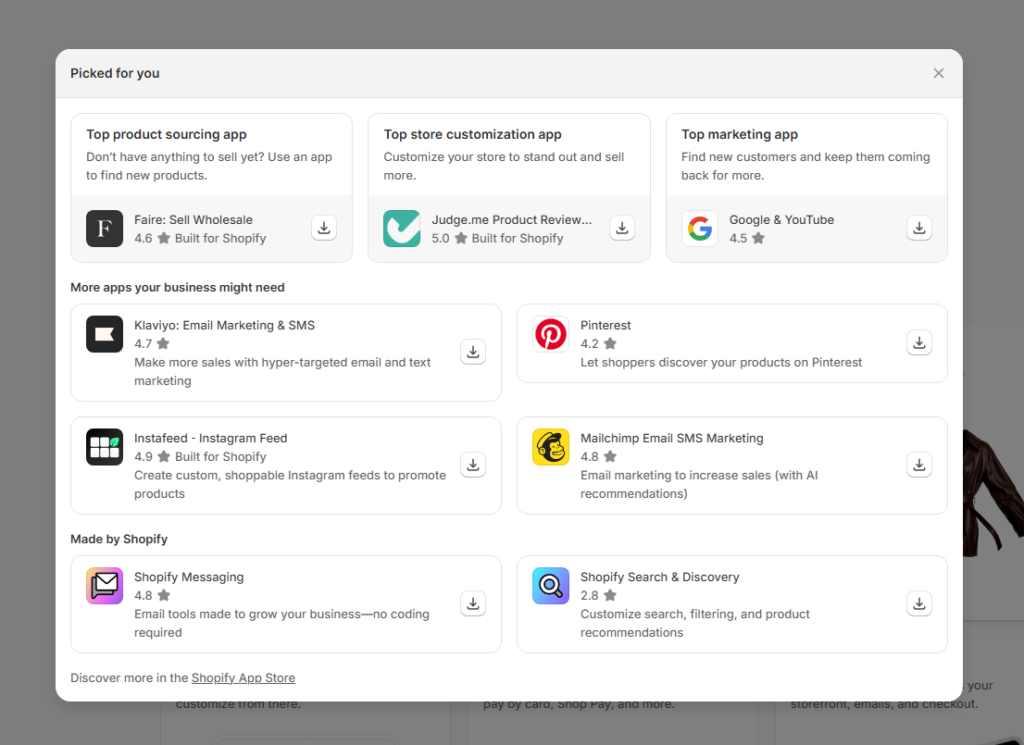
Shopify reports more than 21,000 apps in its App Store. That range covers subscriptions, loyalty programs, product reviews, accounting, email, shipping, print-on-demand, dropshipping, merchandising, customer service, reporting, and thousands of narrower requirements.
This ecosystem is especially valuable when your business model changes. A store can add a subscription option, wholesale workflow, product-personalization tool, or new fulfillment partner without migrating to another platform.
Dropshipping is a good example. Apps such as DSers, Spocket, and Zendrop connect supplier catalogs and order processing to Shopify. The store platform doesn’t make a supplier trustworthy, so the merchant still needs to evaluate quality, shipping times, returns, and margins. Our guide to the best dropshipping companies covers that side of the decision.
Shopify Markets makes international selling manageable
Shopify Markets lets one store customize product availability, pricing, currency, language, domains, theme content, duties, and taxes for different audiences. Stores using supported payment providers can present local currencies and payment methods rather than forcing every customer through the store’s default currency.
Submarkets make the structure more practical. A Europe market can establish shared settings, while a France submarket inherits those settings and overrides the language, domain, promotion, or other details that need to differ.
Translation still requires translated content through Shopify’s Translate & Adapt app, CSV files, or another compatible app. Shopify Markets organizes and delivers the localized experience; it doesn’t remove the need to produce accurate local content or understand regional tax and compliance requirements.
Shopify cons: Where it falls short
The subscription price isn’t the complete cost
Basic gives you a functional store for $39 with monthly billing or $29 per month on an annual term. The final operating cost depends on the gaps between Shopify’s included features and your particular requirements.
Product reviews with advanced media, sophisticated loyalty programs, subscriptions, custom product inputs, specialized reporting, search enhancements, and shipping rules can each introduce an app charge. Five apps priced between $10 and $40 per month would add $50 to $200 to the bill. That isn’t an industry average or a cost every store must pay, but it shows how quickly a reasonable app stack changes the budget.
Some needs have free first-party solutions. Shopify’s Digital Downloads app can deliver ebooks, audio, software, and other files without another subscription. Metafields can store and display custom product information in compatible themes. Audit the included features and free options before assuming every requirement needs a paid app.
Staff access creates a sharp jump from Basic to Grow
Basic allows the owner to manage the store but includes no additional Shopify admin staff accounts. If an employee needs admin access, the next standard plan is Grow at $105 monthly or $79 per month with annual billing.
Collaborator accounts for Shopify Partners and POS-only staff are exempt from that limit. Those exceptions help agencies and retail teams, but they don’t solve the problem when a regular employee needs broader admin access.
For a growing company, the upgrade may eventually pay for itself through lower payment rates. For a young store adding its first operations or marketing employee, the jump can feel disproportionate.
Shopify’s SEO foundation is good, but its structure is less flexible
Shopify handles many technical SEO tasks automatically. It generates sitemaps, robots.txt, structured data, SSL, and canonical tags. You can edit titles, meta descriptions, alt text, and URL handles. The platform also manages hreflang and international sitemaps when Markets is configured correctly.
The limits appear when you want to redesign the information architecture. Products, collections, pages, and blog posts use required path structures such as /products/, /collections/, /pages/, and /blogs/. You can edit the handle after the prefix, but not remove the resource type from a standard Shopify store.
The blogging system supports multiple blogs, tags, scheduling, excerpts, and custom templates, but it remains lighter than WordPress for complex editorial workflows and content relationships. Shopify’s automatic canonical tags also mean that collection-related product URLs aren’t automatically the duplicate-content disaster described in many older Shopify reviews.
If commerce is the center of the site, these constraints are usually manageable. If content publishing is the business’s main acquisition engine, the difference becomes more important.
Support starts with self-service and AI
Shopify lists 24/7 live chat on Basic and Grow, enhanced chat on Advanced, and priority support on Plus. The documentation is extensive, and many ordinary setup questions are easy to solve without speaking to anyone.
In our experience, the Help Center’s AI and self-service flow sit between the merchant and human support. That works for routine questions. It adds friction when an issue involves payments, account access, a store restriction, or several connected systems and the automated path keeps returning general documentation.
Support quality also depends on the issue. Shopify can help with its platform, but an app developer, theme developer, payment provider, domain registrar, or marketplace may own the actual problem. A store assembled from several third-party components can require several support conversations.
Apps can become operational dependencies
The App Store is a major advantage until essential functions are spread across too many vendors. Each app can bring another subscription, support team, privacy policy, permission set, update cycle, and potential conflict with the theme or another app.
Removing an app may also require cleanup. Theme code, data, customer-facing blocks, or workflow assumptions can remain after uninstalling. Before making an app central to checkout or fulfillment, check its developer, recent support record, data access, export options, and what happens if you leave.
Shopify now supports up to three product options and 2,048 variants per product, a substantial increase from the old 100-variant ceiling. Stores needing more than three option types, highly customized customer inputs, or specialized product builders may still need theme work or an app.
Why Shopify can be a bad fit for some businesses
Shopify’s closed system is the source of both its convenience and its limits. The platform decides which parts of checkout, URLs, data models, and infrastructure you can change. Most merchants benefit from those guardrails because they prevent technical work from consuming the business.
The model becomes a poor fit when your competitive advantage depends on a highly unusual buying experience, complete server-level control, an editorial system more complex than the store, or a strict requirement to avoid recurring app costs. A developer can extend Shopify considerably, but extension isn’t the same as owning the entire stack.
Is Shopify legit, reliable, and trustworthy?
Is Shopify trustworthy? Yes. If you’re asking whether Shopify.com is legit, the answer is also yes. Shopify is a legitimate Canadian commerce company used by millions of businesses in more than 175 countries. It reported $100.7 billion in gross merchandise volume and $3.17 billion in revenue for the first quarter of 2026. Shopify provides PCI-compliant payment infrastructure, SSL, fraud-analysis tools, account security controls, and a platform uptime history that can be checked publicly.
That answers whether Shopify itself is legitimate. It doesn’t prove that every merchant using Shopify is trustworthy.
Shopify provides the commerce software, while each merchant controls its products, advertising, fulfillment, refund policy, and customer service. A Shopify checkout and SSL certificate show that the store uses Shopify’s infrastructure. They don’t guarantee product quality or honest fulfillment.
Is MyShopify legit?
myshopify.com is Shopify’s official default domain. Every Shopify store receives one when it is created, and Shopify retains that domain as a permanent store identifier even when the merchant connects a custom domain.
A MyShopify address is therefore a legitimate Shopify address, but it isn’t a trust seal for the individual seller. Anyone who can open a Shopify store can receive a MyShopify domain. Before buying, check the merchant’s contact details, refund and shipping policies, independent reputation, product claims, and payment protections. Be cautious when a store has no meaningful business information, prices that don’t make sense, copied policies, or pressure to pay outside the normal checkout.
If an order doesn’t arrive, contact the merchant first. Shopify says customers can report an unresolved order problem after at least 30 days without a response or resolution, but the merchant remains responsible for the sale.
Is Shopify reliable enough to run a business?
For most small and mid-sized merchants, yes. Shopify reported 99.9% platform uptime across its major services during the 90-day period we checked. Its hosted model also removes server maintenance, core software updates, and much of the security work that would otherwise fall on the store owner.
Reliability still includes the parts Shopify doesn’t control. A third-party app can fail, a theme customization can break, a payment provider can hold a payout, and a marketplace integration can stop syncing. Keep exports of critical business data, limit unnecessary app dependencies, and monitor the services that sit around Shopify.
Who should use Shopify?
Shopify is a strong fit for a product-focused business that wants to launch without managing infrastructure. It works particularly well for direct-to-consumer brands, stores selling across several channels, retailers combining online and in-person inventory, and founders who value a mature app and partner ecosystem.
It is also a sensible platform for a business that expects to grow. You can begin with Basic, add staff and lower processing rates through Grow or Advanced, and move into deeper B2B, international, checkout, and organizational controls as the operation becomes more complex.
Shopify’s Spring 2026 release expanded several B2B features to Basic, Grow, and Advanced, including company profiles, volume pricing, and up to three B2B catalogs. Plus remains necessary for unlimited catalogs, direct company-level catalog assignments, certain advanced payment workflows, and the deepest B2B customization.
When to consider another platform
Choose WordPress with WooCommerce when publishing flexibility, data ownership, and server-level control outweigh the convenience of a managed platform. WooCommerce itself is open source, but you assume responsibility for hosting, security, performance, updates, and extension compatibility. Our WordPress review explains the broader trade-off.
Consider a design-first website builder such as Wix when the site is relatively simple, visual control is the priority, and commerce is only one part of the project. Compare the exact payment, inventory, international, and marketplace requirements before choosing based on the entry price.
Consider BigCommerce when you want a hosted commerce platform with a different balance of built-in features, payment-provider rules, and ecosystem choices. Its operating model is closer to Shopify than WooCommerce, which makes a requirements checklist more useful than broad claims about which platform is better.
Developers building an unconventional commerce experience may prefer WooCommerce, a headless architecture, or another platform with more control over the stack. Shopify also supports headless builds, but the commerce engine and platform rules still remain Shopify’s.
Shopify is worth it when the managed platform saves more time and risk than the subscription and app stack cost. For most businesses selling physical products online, it remains the safest all-around recommendation.
The strongest reasons are practical: fast setup, dependable hosted infrastructure, a checkout customers recognize, unified online and in-person selling, useful AI inside the admin, and an app ecosystem broad enough to support most growth paths. You can start with a straightforward store and expand without immediately rebuilding on another platform.
Budget with the complete operation in mind. Include the billing term, payment rates, staff plan, POS locations, theme, apps, development, and international requirements. Shopify feels expensive when the purchase is based on the Basic sticker price and the business later discovers it needs Grow and several paid apps.
Our verdict remains positive. Shopify is legitimate, reliable, and capable, and its advantages are strongest for merchants who want to focus on products, customers, and sales instead of maintaining ecommerce infrastructure. Choose another platform when content publishing, complete technical control, or a highly specialized workflow is the center of the business.
Best All-Around Ecommerce Platform
Shopify
Shopify gives product-focused businesses a managed store, high-performing checkout, multi-channel sales, POS, international tools, and a deep app ecosystem. It is our preferred option when the merchant wants to focus on selling rather than maintaining ecommerce infrastructure.
Why we like it
Launch a professional store without coding or server management
Shop Pay reduces checkout friction for more than 150 million buyers
Unify website, social, marketplace, and in-person orders
Use Shopify Magic and Sidekick inside the store admin
Add specialized capabilities through more than 21,000 apps
Localize currencies, languages, pricing, domains, duties, and taxes with Shopify Markets
Worth knowing
The subscription is only part of the cost. Budget for apps, payment processing, staff access, and development.
Mandatory URL prefixes and lighter publishing controls make Shopify less flexible than WordPress for content-first businesses.
Platform Details
Platform typeHosted SaaS ecommerce
Basic plan$39 monthly or $29/mo annually
Trial offer checked3 days free, then $1/mo for 3 months
Yes. Shopify is a legitimate Canadian commerce company used by millions of businesses in more than 175 countries. It provides hosted store infrastructure, SSL, payment tools, fraud analysis, and public service-status reporting. Shopify’s legitimacy doesn’t guarantee that every independent merchant using the platform is trustworthy, so shoppers should still evaluate the individual store.
Is a MyShopify website legit?
A myshopify.com address is an official Shopify domain. Every Shopify store receives one when it is created. The address confirms that the store uses Shopify, but it doesn’t verify the merchant or its products. Check the store’s contact information, policies, independent reputation, product claims, and payment protections before buying.
Is Shopify reliable enough for a business?
Shopify is reliable enough for most small and mid-sized ecommerce businesses. It reported 99.9% platform uptime across its major services during the 90-day period checked on July 20, 2026. Your complete store can still depend on outside apps, themes, payment providers, domains, and marketplace connections that Shopify doesn’t control.
What are the main pros and cons of Shopify?
Shopify’s main advantages are fast setup, managed infrastructure, strong checkout, multi-channel sales, built-in AI, international selling tools, and an app ecosystem with more than 21,000 extensions. Its main disadvantages are app costs, no additional admin staff accounts on Basic, extra transaction fees with outside payment providers, mandatory URL prefixes, and less publishing control than WordPress.
How much does Shopify really cost?
Shopify Basic cost $39 USD with monthly billing or $29 per month with annual billing when checked on July 20, 2026. Your complete cost may also include payment processing, paid apps, a theme, development, POS Pro, and a higher plan for staff access. Prices and promotions can change, so confirm the current details before subscribing.
Is Shopify worth it?
Shopify is worth it for most product-focused businesses that value quick setup, hosted infrastructure, reliable checkout, and several sales channels in one admin. It is a weaker fit when content publishing, complete technical control, or a highly specialized workflow is central to the business.
Get new small business insights by email
Practical ideas and useful articles to help you make better business decisions.
Tech Help Canada Staff researches, writes, and reviews practical content for business owners and professionals. Our coverage spans business, marketing, SEO, technology, and the tools and systems people use to grow and operate online. We focus on clear, useful information backed by research, hands-on experience, and editorial review. Learn more about our team and editorial standards. Need help with something? Contact Us